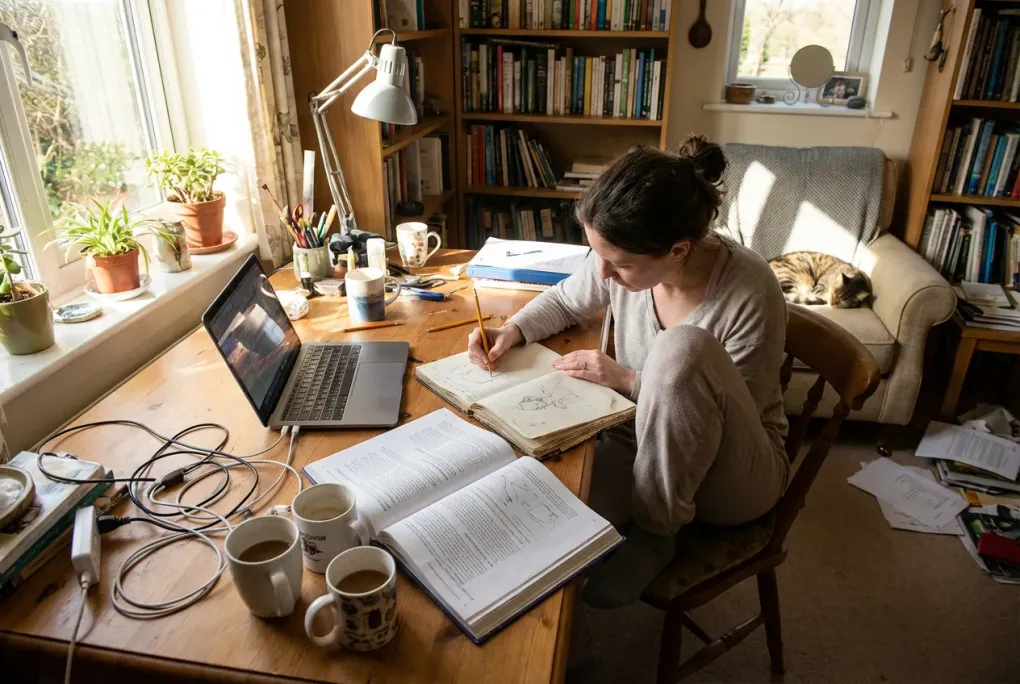
How to build a real home office in a small apartment
Working in a small apartment often means your “office” is the kitchen table, the couch, or a corner that never quite feels right. You end the day stiff, distracted, and surrounded by clutter. It can feel like you need a bigger place to get a real workspace.
You do not.
This guide walks through small apartment home office ideas that actually work in tight spaces. The goal is simple: a calm, focused setup that protects your body and attention without turning your home into a gadget showroom.
We will focus on:
- Where to put a workspace in a small apartment
- How to pick a Sit stand desks) and chair that fit and still feel good
- Ways to separate “work mode” from “home mode” in one room
- Storage and cable tricks that keep visual noise low
- A realistic plan to upgrade in stages, not all at once
Key points
- Start by choosing the right spot, not the right Sit stand desks)
- Use vertical space and corners so the room still feels open
- Prioritize ergonomics and lighting over decor and gadgets
- Create a clear “off switch” so your home does not feel like an office all the time
- Upgrade in small steps, starting with chair, monitor height, and light
Step 1: Choose the right spot in a small apartment
In a small place, you cannot hide a workspace. You want a spot that supports focus during the day and does not dominate the room at night.
Good locations to consider
1. Living room corner Often the best option. Look for:
- A corner that is not the main TV focal point
- A wall where you can mount a shelf or pegboard above the Sit stand desks)
- Enough room to push the chair in so it sits flush when not in use
2. Bedroom wall or nook Good if you need quiet and privacy, but be careful about work invading sleep.
- Put the Sit stand desks) on the wall opposite your bed if possible
- Use a small rug, curtain, or screen to visually separate bed from desk
- Avoid facing the bed directly if that makes it harder to switch off
3. Hallway or “dead” space Many apartments have a wider hallway, entry wall, or odd alcove.
- A shallow desk or wall mounted top can turn this into a clean workstation
- Use wall hooks and shelves so the floor stays clear
4. Behind a sofa or at the back of a room If your couch floats in the room, the back can become a built in office.
- Place a narrow desk behind the sofa, same width as the couch
- Your backdrop on calls becomes the rest of the room, not your kitchen
Spots to avoid if you can
- Right next to the TV. You will fight distraction all day.
- In front of shared storage. Roommates or partners will need to walk through your workspace.
- On the bed or couch as a default. Fine as a change of position, but not as your main setup.
Quick checklist: is this a good spot?
- I can sit without blocking doors, closets, or main walking paths
- There is at least one power outlet within reach
- I can place the desk so I am not staring directly at a TV
- There is a wall or window I can face, not just a messy area
- I can imagine closing the laptop and “leaving work” in this spot
If a spot fails more than two of these, keep looking.
For more on choosing the right location and setup, see our Desk setup guide for remote workers who live at their workstation.
Step 2: Pick a desk that fits your space and body
In a small apartment, the desk has to do three things:
- Fit the room without blocking movement
- Support your posture and gear
- Look simple enough that it does not visually clutter the space
How small can a real desk be?
As a rule of thumb:
- Depth: 20 to 24 inches is the minimum for a laptop plus external monitor. Less than 20 and you will end up hunched.
- Width: 36 inches works for a laptop only setup. Forty two to 48 inches is more comfortable for a laptop plus monitor.
- Height: Around 28 to 30 inches for most people when seated, but your chair height and body height matter more.
If space is very tight, consider a desk that is narrow but wide so it hugs a wall without sticking into the room.
Sit stand options for small apartments
You do not need a giant motorized desk to stand sometimes.
Good options:
- Compact Sit stand desks (40 to 48 inches wide). Many brands make narrow versions that fit in corners.
- Desk riser on a fixed desk or table. A standing converter that sits on top of a normal desk or even a dining table.
- Wall mounted folding desk with adjustable stool height. Not true sit stand, but you can vary posture more.
If you can afford only one upgrade, a comfortable ergonomic chair usually beats a sit stand frame. You can always add a riser later.
Multi use and folding desks
If your desk must disappear after work:
- Wall mounted folding desk that folds flat when not in use
- Drop leaf table that lives as a console or side table, then opens for work
- Dining table as shared desk plus a rolling cart for work gear that tucks away
The key is to make setup and tear down fast. If it takes 15 minutes, you will end up working from the couch.
Desk selection checklist
- Depth is at least 20 inches
- Width fits my wall with 6 to 12 inches of clearance on at least one side
- I can push my chair in so it does not block a doorway or walkway
- Surface is simple and easy to wipe, not textured or fragile
- There is room for a monitor at eye level (with a stand or monitor arm)
For more on choosing the right desk and accessories, see Home office ergonomic basics for people who sit all day.
Step 3: Get a chair that saves your back
In a small apartment, the chair is often the only item big enough to feel in the way. It is also the one that affects your body the most.
You have three main paths:
- A real ergonomic office chair
- A decent task chair that looks like normal furniture
- A dining chair with comfort add ons to make it tolerable
Minimum comfort standards
Whatever you choose, aim for:
- Adjustable seat height
- Some lumbar support (built in curve or cushion)
- A seat that lets you sit with feet flat and knees roughly at 90 degrees
If you can, test how it feels after 30 minutes, not just 2 minutes.
Making a dining chair workable
If a full office chair is not practical, you can still improve things with small comfort add ons:
- Seat cushion to raise your height and reduce pressure
- Lumbar pillow or rolled towel to support your lower back
- Footrest (even a sturdy box) so your feet are flat and supported
These are inexpensive and easy to hide when guests come over.
Where to store the chair
If you need the chair out of the way after work:
- Choose a model that slides fully under the desk
- Use felt pads so it glides easily on hard floors
- Park it against a wall and throw a light blanket over it when off duty
For more on reducing pain at your desk, see Desk accessories that actually reduce pain, not just look cool.
Step 4: Use lighting and layout to reduce fatigue
Poor lighting is a common reason small apartment setups feel harsh or tiring.
Basic lighting rules for a small home office
- Avoid facing a bright window directly. Turn your desk so the window is to your side if possible.
- Add a desk lamp or task lighting with a warm to neutral bulb (around 3000 to 4000K) so your screen is not the only light source.
- Use indirect light in the room, such as a floor lamp that bounces light off the wall or ceiling.
This helps your eyes and also makes the workspace feel like part of the home, not a harsh office corner.
For more lighting tips, see Lighting for home office focus and less eye strain.
Camera and call considerations
If you are on video calls often:
- Face a window or lamp, not away from it, so your face is lit evenly
- Keep the background simple. A plain wall, a plant, or a bookshelf is enough.
- Avoid sitting with your bed in full view if that bothers you.
Step 5: Control clutter with vertical storage
In a small apartment, clutter is not just ugly. It is distracting. You see work everywhere and never feel done.
The trick is to go vertical and to give every item a home.
Simple storage ideas that work in tight spaces
- Wall shelves above the desk for books, reference material, and decor
- Pegboard or rail system for headphones, cables, and small tools
- Slim rolling cart that holds printer, paper, and office supplies, and can roll into a closet
- Magazine file or desktop tray for papers you cannot digitize yet
If you share the room, keep anything visually noisy (cords, chargers, adapters) in closed bins or drawers.
A 10 minute daily reset
Create a small end of day routine:
- Close all apps and browser tabs.
- Put loose papers into one tray.
- Coil and hang headphones.
- Put pens and small items into a single container.
- Wipe the desk with a cloth.
This simple reset keeps the workspace from bleeding into the rest of your life.
For a step-by-step routine, check out our simple remote work day checklist for better focus.
Step 6: Separate “work mode” from “home mode” in one room
When your desk is in your living room or bedroom, the mental boundary matters as much as the physical one.
Visual boundaries
You can create separation without building walls.
Ideas:
- Small rug under the desk to mark the work zone
- Curtain or room divider that you can pull across after work
- Plants or a low shelf to create a soft barrier between desk and rest of the room
- Monitor arm so you can swing the screen away when off duty
Behavioral boundaries
Pair visual cues with habits.
For example:
- Start of day: open the laptop, turn on the desk lamp, put phone on a stand
- End of day: close laptop, turn off lamp, push chair in, cover monitor with a cloth
These small rituals tell your brain “on” and “off” even if the furniture does not move.
Step 7: Plan your gear with intention, not impulse
It is easy to end up with a pile of gadgets that do not solve your real problems. In a small apartment, every item has a cost in space and visual noise.
Focus on three priorities:
- Comfort
- Focus
- Reliability
Comfort focused upgrades
Start with the basics before buying anything fancy.
High impact comfort add ons:
- Laptop stand or monitor riser or monitor arm so the top of your screen is near eye level
- External keyboard and mouse so your arms rest at a natural angle
- Desk pad or wrist rest if you get pressure on your wrists
- Anti fatigue mat if you stand for long periods
These are small, but they change how your body feels by the end of the day.
Focus focused upgrades
Once your posture is handled, look at distractions.
Helpful items:
- Noise cancelling headphones or simple earplugs if your building is loud
- Cable clips and ties so cords stop catching on everything
- A simple timer or focus app instead of more screens
Avoid adding extra monitors or lights unless they solve a real need.
Reliability focused upgrades
In a small apartment, outlets may be limited and power strips may be overloaded.
Consider:
- A surge protected power strip mounted under the desk or on the wall
- A longer but safe extension cord if outlets are poorly placed
- A backup drive or cloud sync so your work is not tied to one machine
For more on picking accessories that actually help, see Desk accessories that actually reduce pain, not just look cool.
Step 8: Example layouts for common small apartments
Here are a few simple patterns you can copy or adapt.
Studio apartment layout
Goal: create a clear work zone without shrinking the living area.
- Place the bed against one wall, couch facing a small TV stand.
- Put a narrow desk behind the couch, facing away from the bed.
- Use a rug under the desk to mark the office.
- Add a slim shelf above the desk for storage.
Result: from the bed, you see a normal living room. From the desk, you see the rest of the room, not your pillow.
One bedroom with small living room
Goal: keep the living room social and move focus work to the bedroom.
- In the bedroom, place a compact desk under the window or along a free wall.
- Use a curtain or folding screen to hide the desk when not in use.
- Keep only work items in that zone, no laundry or storage piles.
Result: you have a quiet work area and the living room stays relaxed.
Shared apartment with roommates
Goal: a personal workspace that does not dominate shared space.
- Use a wall mounted desk in your bedroom or a hallway nook.
- Add a pegboard for vertical storage and hooks for headphones.
- Keep a rolling cart for printer and bulk items in a closet.
Result: your work gear stays contained and shared rooms do not feel like an office.
Step 9: Upgrade in stages, not all at once
Trying to fix everything in one weekend is stressful and expensive. A staged approach works better.
Suggested upgrade path
Stage 1: Basic comfort and layout
- Choose the spot for your workspace
- Use any table you have plus a decent chair or Comfort add ons
- Add a lamp and raise your laptop to eye level
Stage 2: Core furniture
- Buy a compact desk that fits your chosen spot
- Upgrade to a better ergonomic chair if you can
- Add simple storage, such as a shelf or small drawer unit
Stage 3: Movement and refinement
- Add a Sit stand desks (full desk or riser)
- Tidy cables and mount a power strip
- Add small touches that make the space feel calm, such as a plant or framed print
At each stage, ask: “Does this make me more comfortable or more focused?” If not, skip it.
For a deeper breakdown of ergonomic upgrades, see Home office ergonomic basics for people who sit all day.
A small apartment can still hold a real office
You do not need a separate room to have a real home office. You need a clear spot, a few well chosen pieces, and habits that keep work contained.
If you remember only a few things, make them these:
- Start with location and layout, not gear
- Buy the smallest desk that still lets you sit and type without hunching
- Invest in your chair and screen height before anything fancy
- Use vertical storage and simple rituals to keep clutter down
- Create a clear “off switch” so your home still feels like home
From there, you can keep refining. A small, calm, and functional workspace is possible in almost any apartment if you design it on purpose, one step at a time.
FAQ: Small apartment home office
How do I set up a home office in a really small apartment? Pick the best spot first, usually a corner or wall that does not block movement. Use a narrow desk, a decent chair, and a lamp. Go vertical with shelves or a pegboard so the floor stays clear.
What is the minimum desk size for a small home office? For most people, about 20 to 24 inches deep and at least 36 inches wide works for a laptop. If you want a laptop plus monitor, aim for 42 to 48 inches wide.
How can I hide my home office in my living room? Use a compact desk behind a sofa or along a wall, then add a small rug and curtain or folding screen. At the end of the day, close the laptop, push in the chair, and cover the monitor or desk with a cloth if you like.
Is a standing desk worth it in a small apartment? Often a good chair and a laptop stand are higher priority. If you want to stand, a compact Sit stand desks or a desk riser on a normal table works well and takes less space than a large motorized frame.
How do I keep my small home office from feeling cluttered? Limit gear to what improves comfort, focus, or reliability. Use wall shelves, pegboards, and a small rolling cart for storage. Finish each day with a quick reset so the desk looks clear when you are off work.
For more practical tips, see our Desk setup guide for remote workers who live at their workstation.